
AI Manga Colorizer Online
Turn black-and-white manga pages, comic panels, manhwa, manhua, and ink sketches into vivid color artwork. YouComic uses the existing KIE image edit generation flow to preserve panel composition, line art, speech areas, screentone texture, and character identity while adding natural anime-style color.
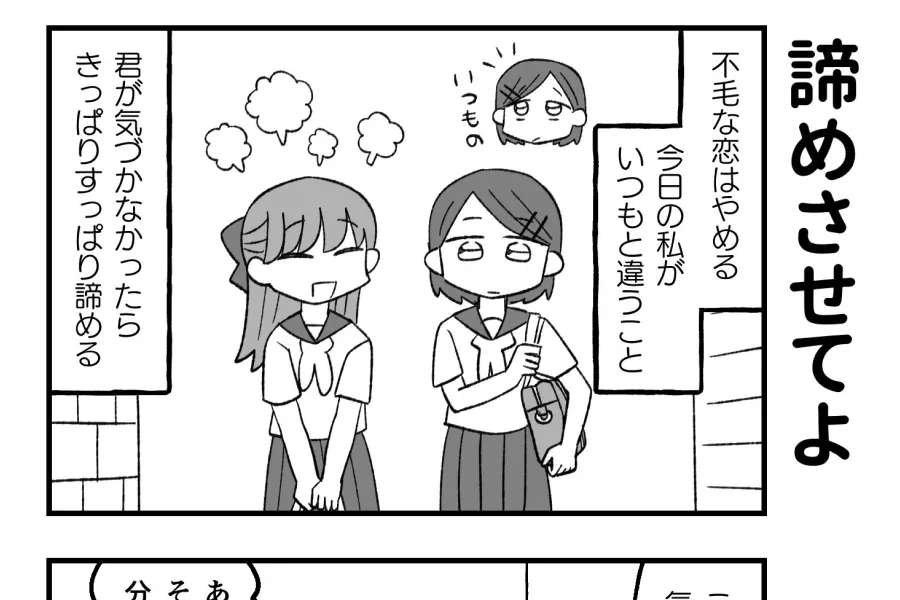
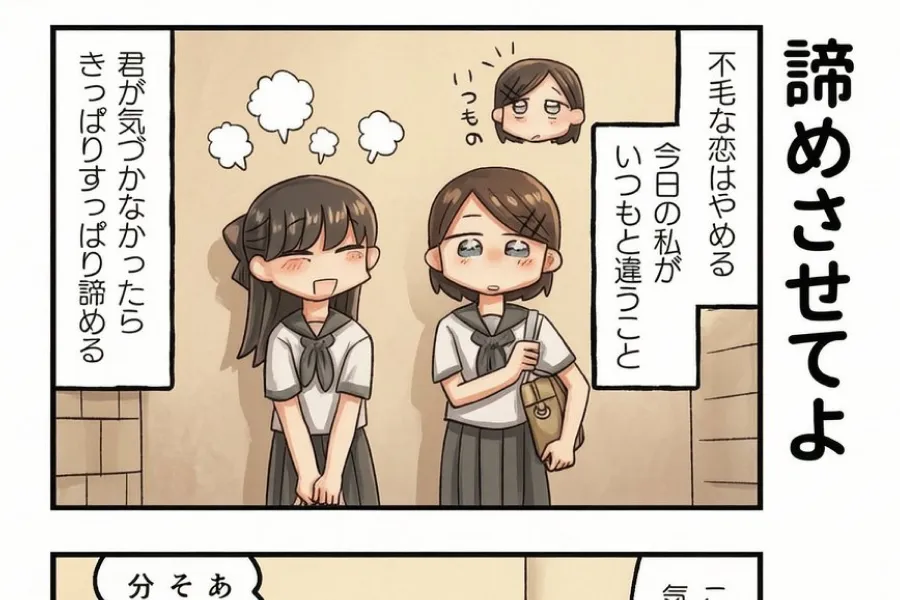
Manga Colorizer Editor
Upload a black-and-white manga image, choose a color style, and guide the AI with optional color notes.
Drag and drop your image here, or click to select
Supports JPG, PNG, WebP, HEIC, AVIF, BMP
Colorized result
Upload a clear manga panel or page, then generate a color version while keeping the original line art readable.
Your colorized manga will appear here
Upload a clear manga panel or page, then generate a color version while keeping the original line art readable.
Manga colorization examples
Use these references to understand the kind of manga, panel, and line art colorization this page is designed for.
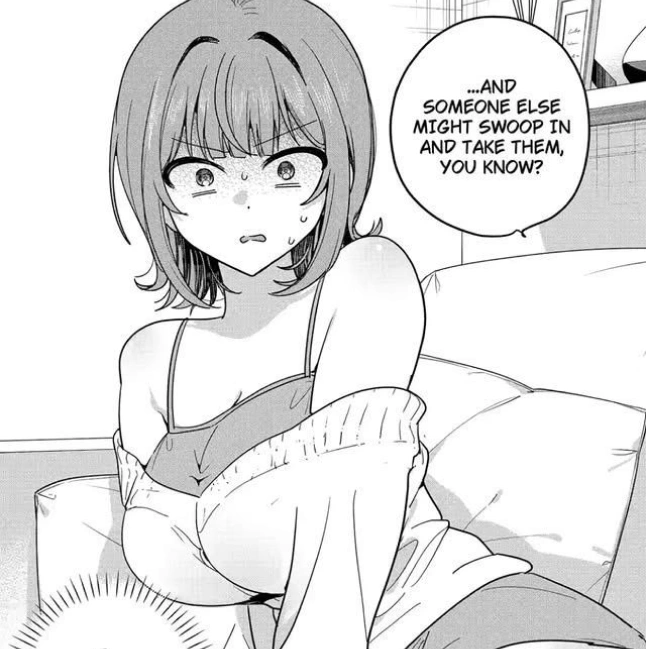
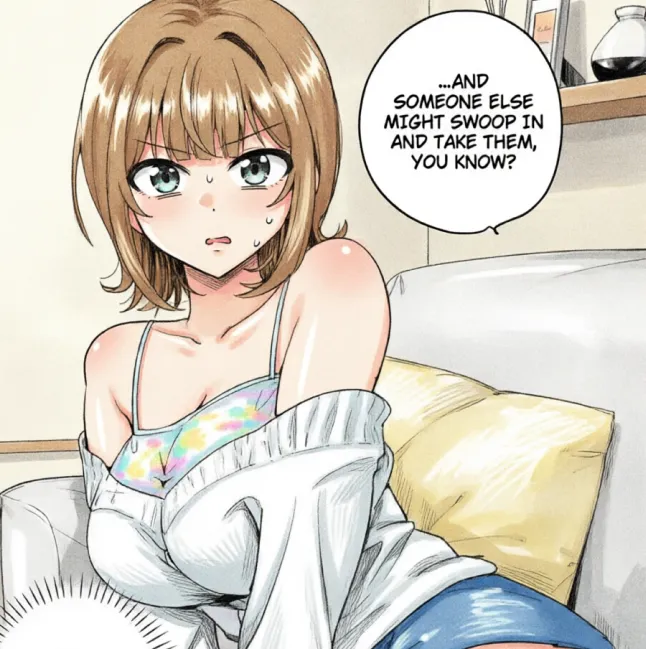
Character panel colorization
A single manga-style character panel can be colorized while keeping the original ink contour, face shape, and outfit details.
Manga page color pass
Use the same workflow for grayscale pages, action crops, and web comic panels when you want a fast color exploration.
Colorize black-and-white manga with AI
A good manga colorizer is not just a generic image filter. Manga pages have inked outlines, panel borders, speech bubbles, screentone patterns, small background details, and character designs that readers recognize immediately. This page is built for that workflow. You upload a black-and-white manga panel, scanned comic page, manhwa crop, manhua image, or clean line art sketch, and the editor sends it through YouComic's KIE image edit pipeline with a manga-specific colorization prompt. The goal is to add color while keeping the original page structure intact. That means the AI is guided to preserve the drawing, respect the panels, avoid repainting the whole page from scratch, and produce a version that feels like the same manga artwork in color.
For manga pages
Use full pages, single panels, character close-ups, action scenes, or web comic crops when you want color without rebuilding the composition.
For creator drafts
Creators can explore palettes before manual finishing, compare mood variations, or prepare a quick colored preview for social posts.
For readers and fans
Readers can experiment with black-and-white panels and see how a scene might look with anime-inspired color and clean shading.
How to use the AI manga colorizer
Start with a clear image. Upload a JPG, PNG, or WEBP file that contains readable line art and enough resolution for the AI to see panel details. Next, choose a style such as Anime Color, Webtoon Color, Soft Pastel, Cinematic Lighting, Classic Manga Color, or Vibrant Manhwa. The style acts as a short creative direction, while the manga colorization prompt protects the original line drawing. If you already know the palette, add color notes. You can mention hair colors, uniform colors, skin tone, lighting, atmosphere, background mood, or recurring character colors. Then generate and wait for the KIE task to complete through polling. When the result is ready, review small details, regenerate with clearer notes if needed, and download the image.
Upload a clean manga image
High-resolution pages, crisp screenshots, and clean scans give the model more information about faces, panels, clothing, and backgrounds.
Choose a color style
Use Anime Color for balanced results, Webtoon Color for bright digital scenes, or Classic Manga Color for a restrained print-inspired look.
Add optional notes
Short notes are best. Name the most important colors first, then add lighting or mood, such as evening glow or cool indoor shadows.
What makes a strong manga colorization result
The best result should look like a color edition of the same page. It should preserve faces, poses, costumes, background architecture, panel order, and the original ink hierarchy. Speech bubbles and text areas should remain visually clean, even if you plan to edit lettering later. Screentone should not turn into muddy noise; it should either remain visible as texture or be converted into a believable shaded area. Character identity matters too. If a character has sharp eyes, a specific hairstyle, a uniform, or a weapon silhouette, the color pass should support those choices instead of replacing them. This is why the default prompt tells the model not to redraw from scratch.
Line preservation
Ink outlines, panel borders, small facial details, speed lines, and important folds should remain visible after color is added.
Readable page design
A manga page still needs clear reading flow. Color should not overpower text areas, balloon shapes, or panel composition.
Natural color harmony
Colors should fit the scene, lighting, and character design rather than creating random saturated patches across the page.
Manga, manhwa, manhua, and line art use cases
Manga colorization is useful for more than one type of image. You can color a single black-and-white manga panel to test how an emotional close-up might feel in a different palette. You can process a manhwa-style line drawing when you want bright digital colors similar to scrolling web comics. You can upload manhua panels, character sketches, comic page drafts, or grayscale concept art to quickly explore color ideas. The tool is also helpful for marketing images, thumbnails, fan edits, portfolio experiments, and production planning. It is different from general line art colorization because the prompt specifically mentions manga panels, speech bubbles, screentone, and page composition.
Black-and-white manga panels
Add color to dramatic close-ups, action frames, emotional scenes, and character introductions while keeping the original ink feel.
Webtoon and manhwa drafts
Try brighter digital palettes, clean gradients, and modern lighting for vertical comic scenes and character crops.
Creator color exploration
Use fast AI color passes to compare palettes before investing time in detailed manual coloring and post-production.
Manga colorization vs line art colorization
Line art colorization is a broad task. It can include icons, character sketches, product drawings, tattoo outlines, coloring book pages, or any black outline image. Manga colorization is narrower and more demanding. A manga page often includes multiple panels, speech bubbles, screen tones, action marks, small props, and layered foreground-background relationships. If a tool treats the page like a single simple sketch, it may accidentally blur panel borders, repaint text areas, flatten screentone, or change the character design. The Manga Colorization page keeps the workflow focused on manga-specific language so the editor sends clearer instructions to the KIE image edit model.
Use this page for manga
Choose Manga Colorization when your source image is a comic page, manga panel, manhwa crop, manhua image, or web comic draft.
Use line art tools for general sketches
Use Line Art Colorization when you are working with standalone illustration sketches, icons, outlines, or simple coloring pages.
Use Comic Translator for text
If the core task is language translation rather than color, use Comic Translator before or after the colorization workflow.
Tips for better manga colorization
Continue your manga workflow
AI Manga Colorizer FAQ
Answers to common questions about manga colorization, image quality, prompts, and supported comic formats.
What is an AI manga colorizer?
An AI manga colorizer is an image editing tool that adds color to black-and-white manga, comic panels, manhwa, manhua, or line art while trying to preserve the original drawing.
Can I colorize manga online?
Yes. Upload a manga image, choose a color style, optionally add color notes, and generate a colorized result directly in the browser.
Does it preserve original line art?
The default prompt is designed to preserve line art, panel composition, speech areas, screentone, and character details, though every AI result should still be reviewed.
Can I colorize full manga pages?
You can upload full pages, but simpler panels and high-resolution scans usually produce more reliable color placement and cleaner details.
Can I add color notes?
Yes. You can describe hair colors, clothes, lighting, background mood, or specific character palette choices in the Color Notes field.
Does it work for manhwa and manhua?
Yes. The workflow is designed for manga, manhwa, manhua, webtoon crops, comic page drafts, and black-and-white line art.
Is this different from line art colorization?
Yes. Line art colorization is general, while manga colorization focuses on panels, speech bubbles, screentone texture, and comic reading flow.
Why does the result sometimes change small details?
AI image editing can reinterpret tiny shapes, especially in low-resolution scans. Use clearer images and stronger preservation notes for better consistency.
Start coloring manga online
Upload a black-and-white manga panel and generate a vivid color version with AI.
Try Manga Colorizer