
Онлайн AI-раскраска манги
Загрузите черно-белую страницу или панель манги и создайте цветную версию через KIE image edit в YouComic.
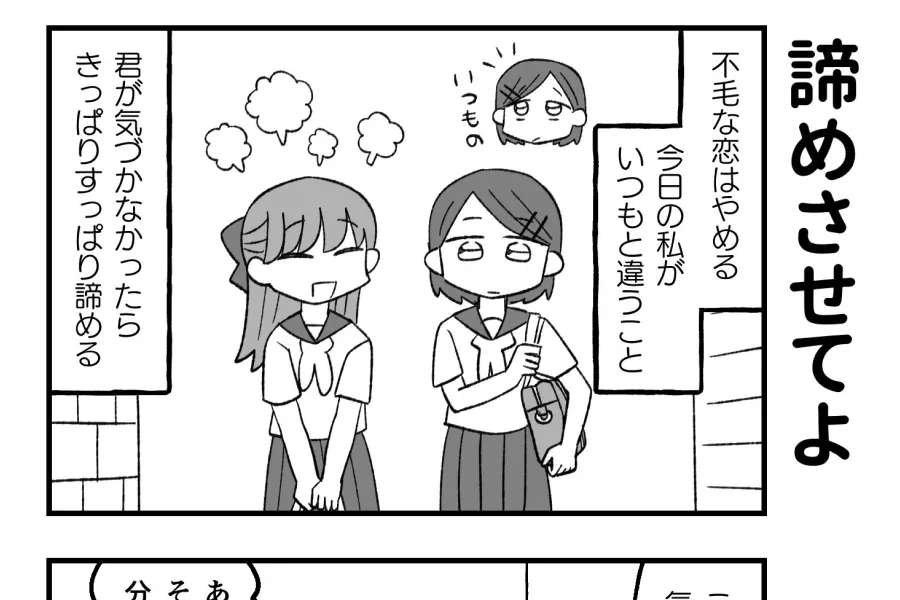
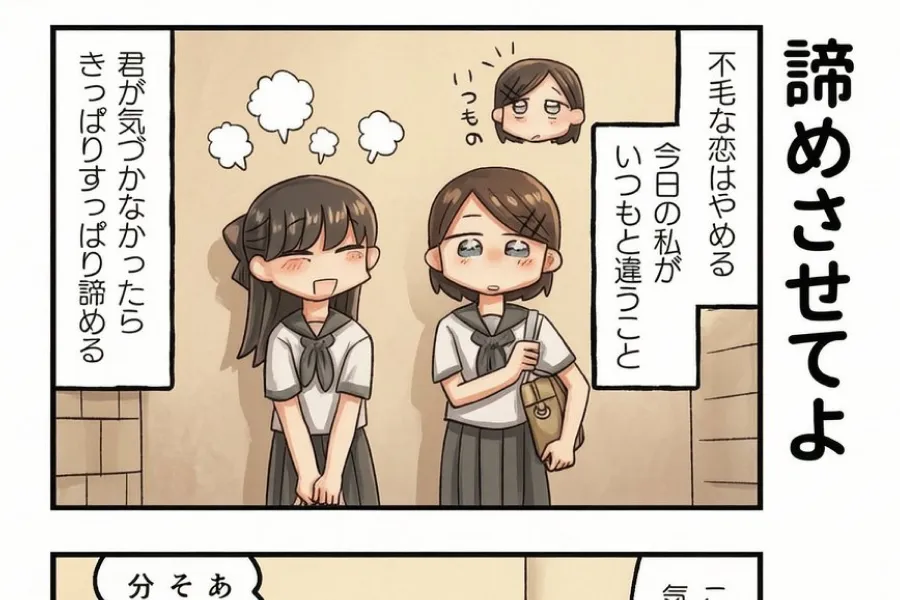
Редактор Manga Colorizer
Загрузите изображение манги, выберите стиль и добавьте цветовые заметки.
Drag and drop your image here, or click to select
Supports JPG, PNG, WebP, HEIC, AVIF, BMP
Цветной результат
Загрузите четкую панель и создайте цветную версию с сохранением оригинальных линий.
Цветная манга появится здесь
Загрузите четкую панель и создайте цветную версию с сохранением оригинальных линий.
Примеры раскраски манги
Референсы для понимания результата, на который рассчитана эта страница.
Примеры раскраски манги
Референсы для понимания результата, на который рассчитана эта страница.
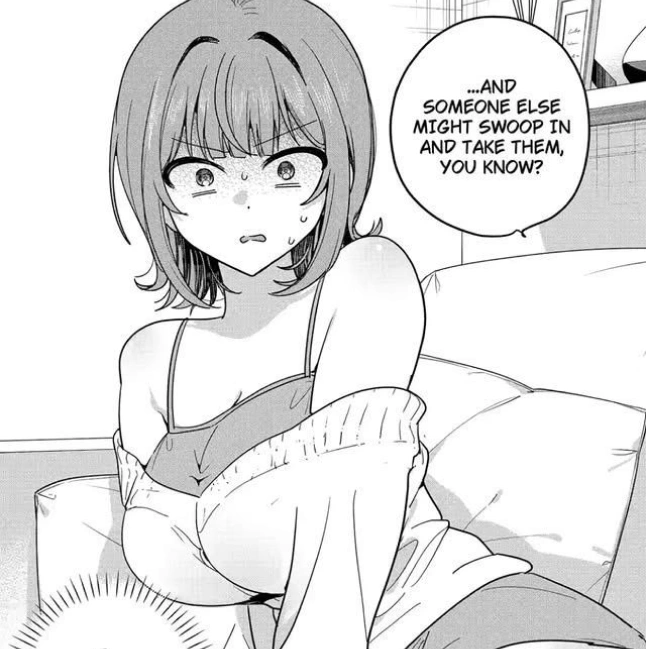
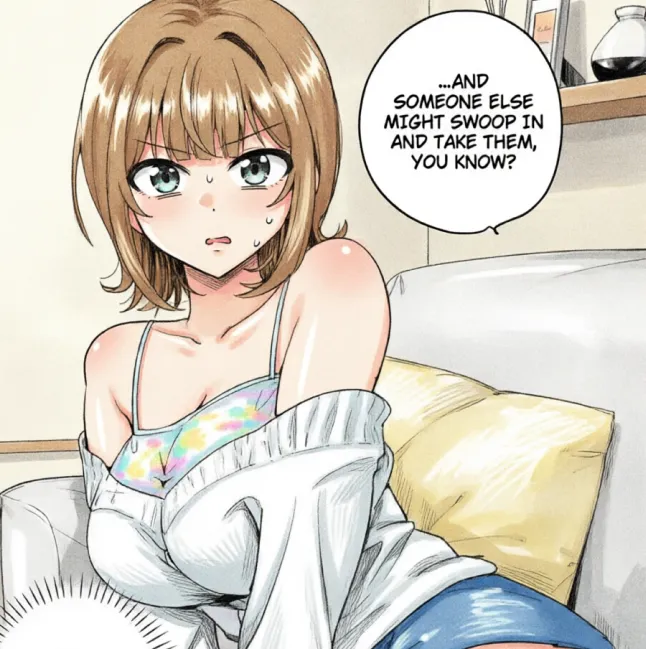
Примеры раскраски манги
Референсы для понимания результата, на который рассчитана эта страница.
Онлайн AI-раскраска манги
Загрузите черно-белую страницу или панель манги и создайте цветную версию через KIE image edit в YouComic. Раскрашивайте черно-белую мангу, панели, скетчи, manhwa и manhua онлайн с ИИ, сохраняя линии и композицию. The editor uses the same manga-specific preservation prompt so the workflow remains consistent across languages.
Сохраняет line art
The prompt asks the model to keep panel borders, character details, speech areas, and original line art visible.
Цветовые заметки через prompt
Users can add short notes for hair, clothing, lighting, background mood, and important palette choices.
Для manga, manhwa и manhua
The page is focused on comic pages and panels rather than generic coloring book line art.
Загрузите изображение манги, выберите стиль и добавьте цветовые заметки.
Upload a clean image, choose a color style, add optional notes, generate through KIE image edit, then review and download the final colorized page.
Загрузить изображение манги
Clear JPG, PNG, or WEBP files with readable lines usually produce the best result.
Цветовой стиль
Choose anime, webtoon, pastel, cinematic, classic manga, or vibrant manhwa style direction.
Цветовые заметки
Keep notes concise and mention the most important colors first.
Онлайн AI-раскраска манги
Онлайн AI-раскраска манги
Раскрашивайте черно-белую мангу, панели, скетчи, manhwa и manhua онлайн с ИИ, сохраняя линии и композицию.
What is an AI manga colorizer?
An AI manga colorizer is an image editing tool that adds color to black-and-white manga, comic panels, manhwa, manhua, or line art while trying to preserve the original drawing.
Can I colorize manga online?
Yes. Upload a manga image, choose a color style, optionally add color notes, and generate a colorized result directly in the browser.
Does it preserve original line art?
The default prompt is designed to preserve line art, panel composition, speech areas, screentone, and character details, though every AI result should still be reviewed.
Can I colorize full manga pages?
You can upload full pages, but simpler panels and high-resolution scans usually produce more reliable color placement and cleaner details.
Can I add color notes?
Yes. You can describe hair colors, clothes, lighting, background mood, or specific character palette choices in the Color Notes field.
Does it work for manhwa and manhua?
Yes. The workflow is designed for manga, manhwa, manhua, webtoon crops, comic page drafts, and black-and-white line art.
Is this different from line art colorization?
Yes. Line art colorization is general, while manga colorization focuses on panels, speech bubbles, screentone texture, and comic reading flow.
Why does the result sometimes change small details?
AI image editing can reinterpret tiny shapes, especially in low-resolution scans. Use clearer images and stronger preservation notes for better consistency.
Start coloring manga online
Upload a black-and-white manga panel and generate a vivid color version with AI.
Раскрасить мангу